
Goal Sport Software - Q3 Product Updates
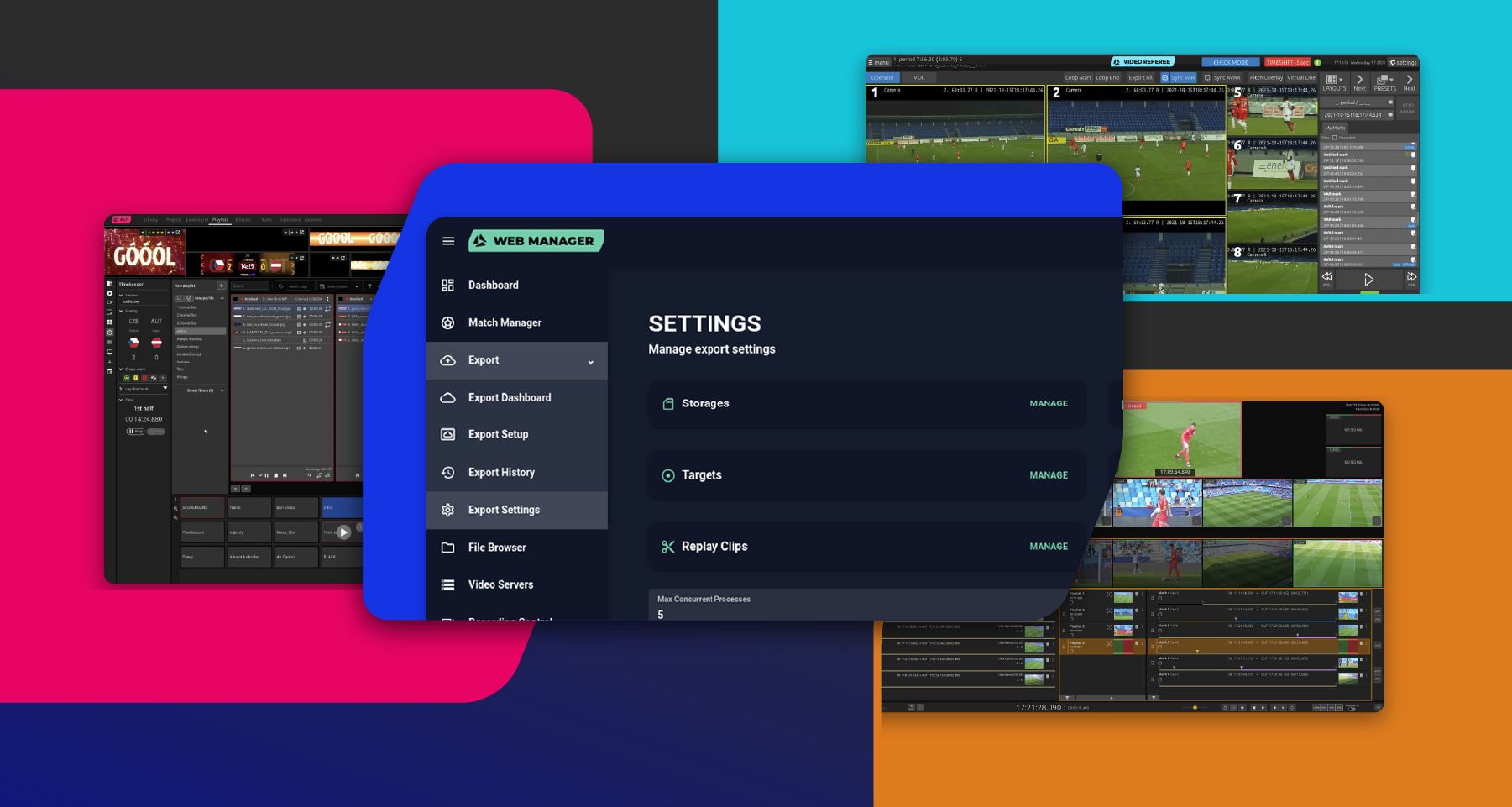
The third quarter of 2026 brings the Goal Sport suite closer together. Web Management is becoming the single place to set up your servers, video streams now adapt to how they're used, and GS Video Referee and GS Video Review get the workflow upgrades our customers asked for most.
GS Video Server
Smarter Streams, Stronger Audio
- Proxy streams — The server now streams each camera in several quality levels. Client apps like GS Video Review automatically use the best quality for the job, so you can watch several cameras at once without overloading the network or the client.
- Enhanced audio — Connect external audio devices and record several audio tracks, each with its own set of channels.
- More production tools — Stinger transitions, GFX, AUX outputs with transparency and DeckLink keying, picture-in-picture, and per-input hardware (GPU) decoding.
GS Web Management:
One Place to Set Up Your Servers.
Web Management is becoming the central tool for setting up all Goal Sport servers in a browser, without the need to log in to each machine.
- Timekeeper servers — You can add them, rename them, and see whether each one is online. You can also switch modes and set up outputs (siren, network protocol, light controller) while the server runs.
- Video Server and Replay settings — Upload and manage stinger and GFX files with adjustable cut points, positioning, and sizing. Configure fade-to-black, replay exports, output routing, GPU decoding or camera stitching.
GS Video Referee, VAR, VOL:
Instant Review and flexible layouts.
GS Video Referee 4 is our latest major release, bringing long-requested features and UX improvements to the VAR workflow.
- No loading time — For instant check mode and last mark when using timeshift.
- Fast rewind — Speeds up to 100x for check mode.
- Flexible VAR/AVAR layouts — Change screen layouts at runtime.
- Languages — The user interface is now also available in Czech, Slovak, Finnish, Faroese, Maltese, and Portuguese.
More Precise VOL:
- Support for total station measurements.
- The distance between the attack and defense lines is shown to the operator in meters.
- Automatic chroma keying keeps players in front of the line.
- Annotation points can be fine-tuned from the keyboard.
Enhance your officiating with GS Video Referee.
GS Video Review:
Multi-Camera Layouts Are Here.
The multi-camera view we announced last quarter has arrived.
- Layouts — Switch between a single camera, side-by-side (2 cameras), and a 2×2 grid (4 cameras). Drag any camera onto any tile.
- Adaptive stream quality — Stream quality adjusts automatically to the number of cameras on screen and to what the server offers, so playback stays smooth.
GS Timekeeper:
Configure Remotely, Run from a Browser.
- Configuration from Web Management — You can now view and change Timekeeper server settings remotely while the server is running.
- Coming soon: Timekeeper Web Client — Run the game clock, scores, penalties, and match events in a browser.
GS Playout 3:
- Automatic main/backup failover — A standby IO server takes over automatically if the main one fails, and the timing of the switch can be configured.
- Playback control — Adjustable playback speed, audio track selection, audio level meters, and SDI keying.
- Redesigned scene editor and a more efficient operator UI — Includes copy-and-paste in the Launch Grid and status indicators for the render servers.
Command your match-day shows with GS Playout 3.
NEW GS Replay:
- New playback tools — Loop, fade-to-black, go in / go out, live-edit playlists on air or hold the running replay.
- Audio tab — Added headphone monitoring.
- Automatic export — Clips are automatically exported to remote locations and can be downloaded through Replay.
- Macro mode — Automatically save your quick replay into a highlight that can be reused or edited later.
- Improved GFX — Use your own video or image with an alpha layer that can be automatically cut along with replays.
- Languages — The user interface is now also available in Czech and French. Other languages can be added on request.
Upgrade your live production with the new GS Replay.
Thanks for choosing Goal Sport software. If you are a current client, contact us and take advantage of an upgrade for your in-stadium production.
The Goal Sport Tech Dev Team